
Shopify SEO: Complete Guide to Rank Your Store
What Is Shopify SEO and Why Does It Matter?
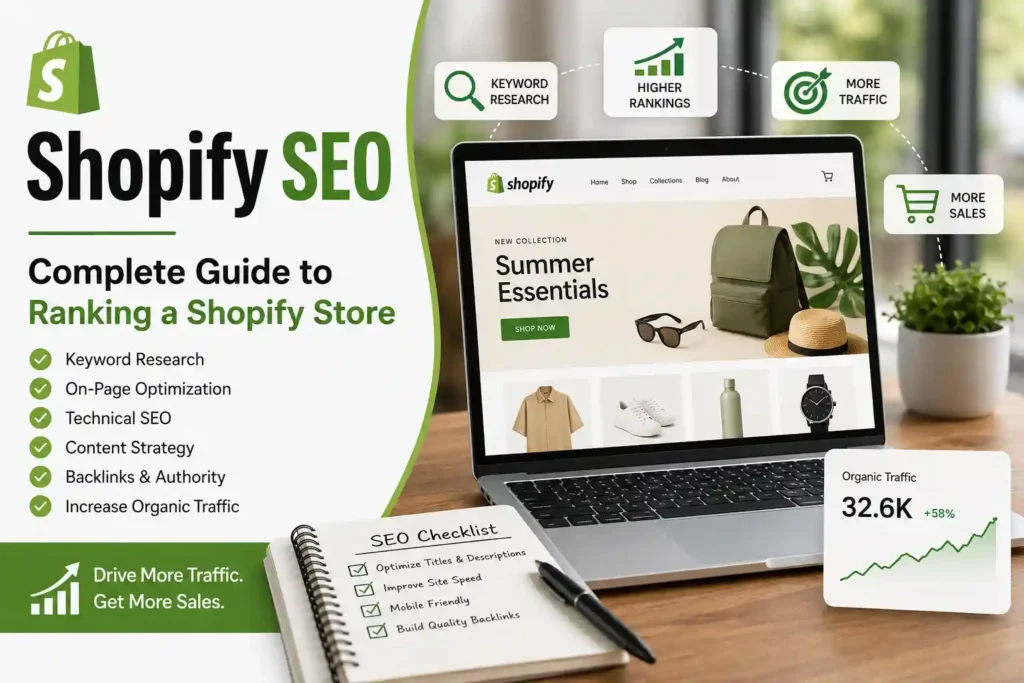
Shopify SEO is the process of optimizing a Shopify store so that search engines such as Google can better understand, crawl, index, and rank its pages. Unlike paid advertising, SEO focuses on earning organic visibility for searches that potential customers are already making. A successful Shopify SEO strategy combines keyword research, product-page optimization, collection-page optimization, technical SEO, internal linking, useful content, image optimization, structured data, and authority building. The goal is not simply to get more visitors but to attract people who have genuine interest in the products or services you sell. Shopify itself recommends approaching SEO across on-page, technical, and off-page areas, with the content of each page matching what shoppers are searching for.
How Does Shopify SEO Work?
Shopify SEO works by improving several signals that help search engines understand the relevance, quality, and accessibility of your ecommerce website. Search engines need to discover your pages, crawl their content, understand what each page is about, determine which pages are most useful for particular searches, and decide whether those pages deserve visibility in search results. Shopify provides several technical features automatically, including an XML sitemap and canonical URL handling, which gives store owners a useful technical foundation. However, these automatic features do not replace SEO work. You still need to optimize your product names, descriptions, collection pages, headings, images, internal links, content strategy, and overall site architecture.
A useful way to understand Shopify SEO is to divide it into three major areas:
| Shopify SEO Area | Main Focus | Examples |
|---|---|---|
| On-Page SEO | Page relevance and content | Keywords, titles, descriptions, headings |
| Technical SEO | Crawling and website performance | Sitemap, speed, mobile UX, canonicals |
| Off-Page SEO | Website authority | Backlinks, mentions, digital PR |
| Content SEO | Informational visibility | Blogs, guides, comparisons |
| Ecommerce SEO | Product discovery | Product and collection optimization |
These areas work together rather than independently. A perfectly optimized product page may still struggle if Google cannot efficiently crawl it, while a technically excellent Shopify store may not attract much organic traffic if its pages do not satisfy search intent. This is why an effective Shopify SEO strategy should begin with the entire website rather than focusing on one isolated ranking factor.
Shopify SEO Checklist: Start With the Basics
Before making advanced SEO changes, establish a strong foundation. Your store should use a custom domain, have a logical navigation structure, use HTTPS, contain useful and unique content, and be connected to Google Search Console. Shopify automatically generates an XML sitemap, which you can submit to Google Search Console to help Google discover your store’s important URLs.
Your basic Shopify SEO checklist should include:
- Use a custom domain instead of relying only on the default
myshopify.comaddress. - Connect Google Search Console.
- Submit your Shopify XML sitemap.
- Create clear product and collection categories.
- Use descriptive page titles.
- Write unique meta descriptions.
- Optimize product descriptions.
- Use descriptive image alt text.
- Improve internal linking.
- Check mobile usability.
- Compress large images.
- Monitor Core Web Vitals and page performance.
- Fix broken links and unnecessary redirects.
- Review indexed pages regularly.
- Keep important URLs consistent after publication.
- Build relevant, trustworthy backlinks.
Shopify’s platform handles some technical SEO elements automatically, but store owners still need to manage the content and structure that determine whether individual pages are useful and relevant. For example, Shopify automatically creates a sitemap, but you remain responsible for ensuring that important pages are linked properly and contain valuable content.
Keyword Research for Shopify SEO
Keyword research is one of the most important steps in Shopify SEO because it determines what your pages should target. Instead of choosing keywords simply because they have high search volume, look for terms that match your products and the intent behind the search. A keyword such as “black leather handbag” may have strong commercial intent, while “how to clean a leather handbag” is primarily informational. Both can be valuable, but they belong on different types of pages.
For a Shopify store, organize keywords into groups such as:
Product keywords
- Buy leather handbags online
- Women’s leather handbag
- Black leather handbag
Collection keywords
- Leather handbags for women
- Designer handbags
- Office handbags for women
Informational keywords
- How to clean a leather handbag
- How to choose a leather handbag
- Leather handbag care tips
Comparison keywords
- Leather vs vegan leather handbag
- Tote bag vs shoulder bag
Local keywords
- Leather handbags in Mumbai
- Handbags shop in Pune
- Buy handbags in Delhi
The most important principle is search intent. A customer searching “buy black leather handbag online” is much closer to making a purchase than someone searching “what is leather.” Your product and collection pages should therefore target commercially valuable terms, while your blog can capture informational searches and internally guide readers toward relevant products.
Technical Shopify SEO Foundation
Technical SEO makes it easier for search engines to discover and interpret your store while also improving the user experience. Shopify provides a useful technical foundation, but technical problems can still occur through themes, apps, custom code, redirects, poor navigation, oversized images, or improperly configured pages. Shopify’s technical SEO guidance highlights site architecture, page speed, mobile friendliness, and HTTPS as important areas for ecommerce websites.
One of the first things to check is your site architecture. Your homepage should link to important collections, collections should link to products, and relevant blog content should connect users to products and collections. This creates a logical hierarchy that helps both visitors and search engines understand the importance and relationship between pages. Avoid creating important pages that can only be reached through search or filters. Valuable pages should have crawlable internal links pointing toward them.
Your technical Shopify SEO audit should also look for:
- Broken internal links.
- 404 pages.
- Redirect chains.
- Incorrect canonical tags.
- Orphan pages.
- Duplicate content.
- Poor mobile performance.
- Slow-loading images.
- Unnecessary third-party scripts.
- Indexing problems.
Shopify notes that its themes generally handle canonical URLs automatically, but custom development or theme modifications can introduce problems.
Shopify SEO URLs
Clean URLs make it easier for users and search engines to understand what a page represents. Shopify uses structured URL formats for products, collections, pages, and blog posts, and Shopify allows you to customize URL handles. It also automatically creates canonical tags and a sitemap.
For example, a clean product URL might look like:
/products/womens-leather-handbag
A collection URL could be:
/collections/leather-handbags
Avoid unnecessarily complicated URLs containing random words, excessive parameters, or irrelevant keywords. Your URL should be short, readable, descriptive, and consistent with the page topic.
If an existing URL has already gained rankings, backlinks, or organic traffic, avoid changing it without a reason. When you do need to change a URL, make sure the old URL redirects directly to the new relevant URL. Shopify automatically creates redirects in many URL-change situations, but you should still verify that the redirect works correctly.
Important: Do not repeatedly change URLs simply to insert additional keywords. URL optimization should support a clear website structure rather than become an excuse for constant changes.
How to Optimize Shopify Product Pages for SEO
Product pages are among the most valuable pages in a Shopify store because they can target highly commercial search queries. A well-optimized product page should help Google understand what the product is, who it is for, what makes it useful, and why a customer should consider buying it. Start with a descriptive product title that naturally includes the primary keyword without making it sound unnatural. For example, instead of “Classic 2026,” a better title might be “Women’s Leather Tote Bag – Brown.” Your product description should then explain the product’s features, benefits, materials, dimensions, use cases, care instructions, and other information customers may need before purchasing. Avoid copying descriptions supplied by manufacturers because duplicate or thin content provides little unique value. Add high-quality images with descriptive filenames and useful alt text, and make sure important product information is visible without requiring excessive interaction. Also optimize the SEO title and meta description from Shopify’s search-engine listing settings. These elements should accurately represent the page and encourage relevant users to click from search results.
Shopify Product Page SEO Checklist
Use this checklist when optimizing each important product:
- Include the primary keyword naturally in the product title.
- Write a unique and detailed product description.
- Explain benefits, not just specifications.
- Include relevant secondary keywords naturally.
- Optimize the SEO title.
- Write a compelling meta description.
- Create a short, readable URL handle.
- Add descriptive image alt text.
- Use high-quality product photography.
- Include product specifications where useful.
- Add internal links to relevant collections.
- Link to related products when appropriate.
- Display reviews and genuine customer feedback.
- Use structured data where supported by the theme.
- Make the page mobile-friendly.
- Check page-loading performance.
- Avoid unnecessary duplicate content.
Shopify Collection Page SEO
Collection pages are particularly important for Shopify SEO because they can rank for broader commercial searches than individual product pages. For example, a store selling furniture might have individual product pages targeting “oak dining table” while its collection page targets “wooden dining tables.” This creates an opportunity to capture users who are researching a category rather than looking for one specific product. Your collection title should clearly describe the products included, while the introductory content should explain what shoppers can expect from the category. Avoid adding a large block of generic SEO text simply to increase word count. Instead, provide useful information such as product types, materials, sizes, buying considerations, use cases, or differences between options. You can also add short supporting content below the product grid if a longer explanation would interfere with the shopping experience. Internal links between related collections can further strengthen the site’s topical structure. For example, a “Women’s Running Shoes” collection could link naturally to “Trail Running Shoes,” “Lightweight Running Shoes,” and “Running Socks.” This helps users discover relevant products while creating stronger relationships between related pages.
How to Optimize Shopify Collection Pages
A strong collection page should generally contain:
| Element | SEO Recommendation |
|---|---|
| Collection Name | Use a clear, descriptive category name |
| Primary Keyword | Match the main search intent |
| Introduction | Explain the category naturally |
| Product Grid | Make products easy to browse |
| Internal Links | Link to relevant subcategories |
| Images | Use relevant, optimized visuals |
| SEO Title | Include the main keyword naturally |
| Meta Description | Explain the collection’s value |
| URL | Keep it short and descriptive |
| Supporting Content | Answer common buying questions |
Do not create dozens of nearly identical collections simply because keyword tools show small variations of the same search. This can create unnecessary pages and make your site architecture harder to manage. Instead, determine whether the variation represents a genuinely different search intent or product category.
Shopify SEO: Optimize Title Tags and Meta Descriptions
Title tags and meta descriptions influence how your Shopify pages are presented in search results. The title should clearly communicate the page topic and ideally include the primary keyword near the beginning when it fits naturally. Keep the wording useful rather than stuffing several variations into one title. For example, “Women’s Leather Handbags | Premium Office Bags” is more useful than a title such as “Leather Handbags, Leather Bags, Women’s Handbags, Buy Leather Bags.” Your meta description should briefly explain what the visitor will find on the page and provide a reason to click. Avoid writing descriptions that promise information or products that the page does not actually contain. Google may sometimes generate a different search-result snippet based on the user’s query, so a meta description is not a guarantee that your exact wording will always appear. Nevertheless, writing a relevant description gives search engines a useful summary of the page. Shopify allows you to edit search-engine listing information for products, collections, pages, and blog posts through the relevant admin settings.
Example of Shopify SEO Metadata
Product: Women’s Leather Office Bag
SEO Title:
Women’s Leather Office Bag | Premium Work Bag
Meta Description:
Shop stylish women’s leather office bags designed for work, travel and everyday use. Explore practical designs, premium materials and spacious storage.
URL:/products/womens-leather-office-bag
The exact wording should always reflect the actual product and its unique selling points.
Shopify Image SEO
Images are essential for ecommerce because shoppers need to see products before deciding whether to purchase. However, large and poorly optimized images can contribute to slower page performance. Shopify provides image optimization features, but merchants should still upload appropriately sized images and avoid unnecessarily huge files. Use descriptive filenames where practical, such as black-leather-office-bag.jpg, rather than generic names such as IMG_48291.jpg. Add meaningful alt text that describes the image for users who cannot see it. Alt text should not be treated as a place to insert a long list of keywords. For example, “black leather office bag with laptop compartment” is more useful than “best black leather office bag buy leather bag online office handbag.” Use multiple product images when they genuinely help shoppers understand the item, including front, back, side, close-up, texture, packaging, and lifestyle views where relevant. Proper image SEO can support accessibility, image-search visibility, and the overall quality of the shopping experience. Before uploading images, also consider whether the file dimensions are appropriate for their intended display size.
Shopify Image SEO Best Practices
- Use descriptive filenames.
- Write natural alt text.
- Avoid keyword stuffing.
- Use appropriate image dimensions.
- Compress images when necessary.
- Avoid uploading unnecessary duplicates.
- Use product images from multiple useful angles.
- Include lifestyle images where relevant.
- Keep image quality high enough for product evaluation.
- Check mobile loading performance.
Shopify Blog SEO and Content Strategy
A Shopify store should not depend entirely on product pages for organic traffic. Blog SEO can help you reach customers earlier in the buying journey when they are researching problems, comparing options, or looking for advice. For example, a store selling skincare products could publish articles such as “How to Build a Simple Skincare Routine,” “How Often Should You Exfoliate?” and “Retinol vs Vitamin C: What’s the Difference?” These articles can attract informational searches and naturally introduce relevant products when appropriate. The important point is to create content based on genuine customer questions rather than publishing hundreds of thin articles solely for keywords. Every article should have a clear purpose, satisfy the search intent, and provide information that is genuinely useful. Use headings to organize the content, include relevant internal links, add original examples or expertise, and update important articles when information changes. Over time, this approach can create topical depth around the products you sell. Your blog should support the ecommerce section rather than becoming a disconnected collection of keyword-focused articles.
Shopify Content Funnel
A useful content structure is:
Informational search → Educational article → Relevant collection → Product page → Purchase
For example:
“Best shoes for beginner runners”
↓
Running shoe buying guide
↓
Beginner running shoes collection
↓
Specific running shoe product
↓
Purchase
This approach allows your Shopify SEO strategy to target users at different stages of the buying journey.
Conclusion: Build a Shopify SEO Strategy That Lasts
Shopify SEO is not about adding a keyword to every product title or installing an SEO application and expecting rankings to appear automatically. A successful strategy combines strong website architecture, useful product and collection pages, search-intent-focused keyword research, technical optimization, high-quality content, internal linking, image optimization, mobile usability, and trustworthy authority signals. Shopify provides a strong ecommerce platform, but the quality of your SEO ultimately depends on how effectively you use that foundation.